A tag, not your life story.
Your NFC tag stores a random identifier. It doesn’t contain your habit names, progress, Health data or app selections.
SMALL TAPS. STEADY CHANGE.
Turn your water bottle, journal or desk into a cue to follow through. Anchor brings your habits into the real world—with a little help from NFC.
3 habits free. No NFC tag needed to start.
 REAL APP. LITTLE WINS.
01 / A LITTLE MORE YOU
Pick a habit that belongs in your day. Give it a familiar place to begin.
 Hydrate02 / EVERYDAY WINS
 Focus03 / EVERYDAY WINS
 Meditate04 / EVERYDAY WINS
 Move
Water, focus, reading, exercise, sleep—or something entirely your own.
02 / FROM REAL LIFE TO REAL PROGRESS
One familiar object. A small NFC sticker. A little nudge to do the thing you meant to do.
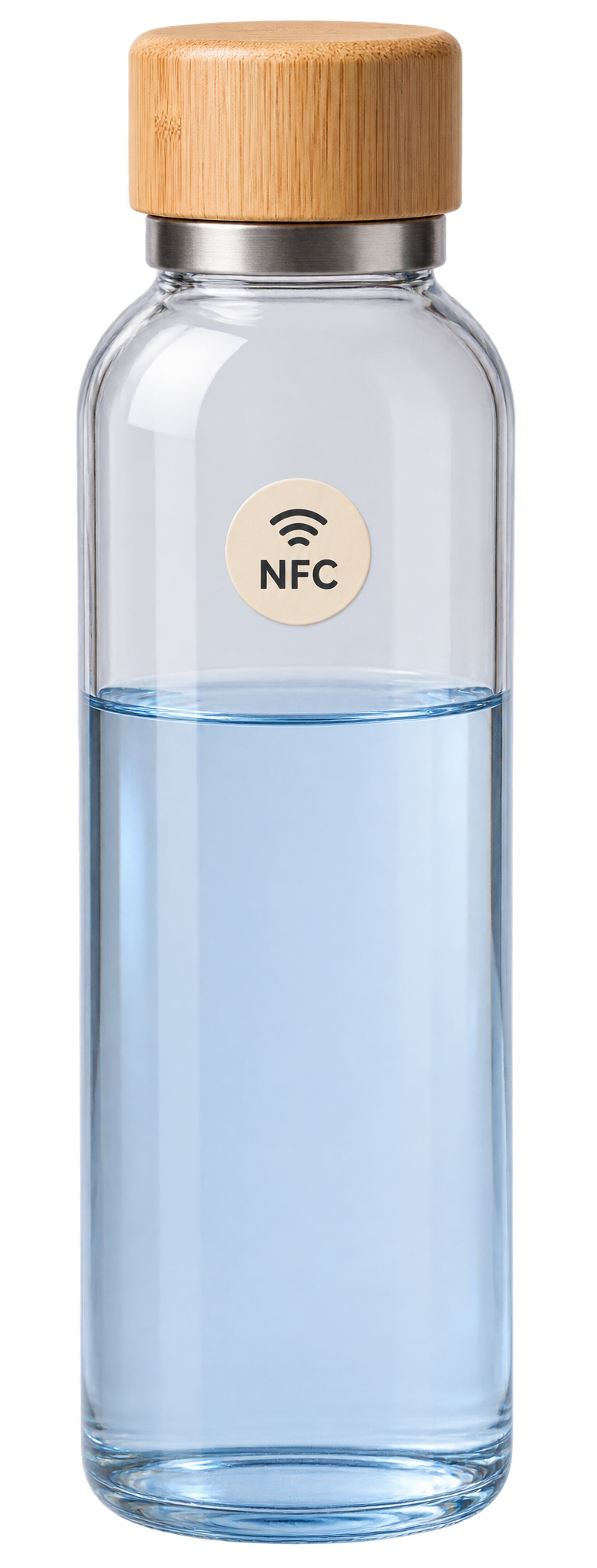
Put a small NFC sticker on your water bottle. Keep the cue right where you drink.
Bring the top of your iPhone near the sticker, then tap the NFC notification to open Anchor.
A random identifier connects this physical cue to the action you chose. No habit details live on the tag.
In this example, a scan logs 250 ml. Choose your own amount in Anchor, or enter it each time.
See the pattern across your week, month, and year—then keep the next action close.
Illustrative demo · Choose your own log amount in Anchor.
Demo water total: 1,250 of 2,000 ml.03 / MEET THE ACTUAL APP
Thoughtful tools for the moments that make up your day.
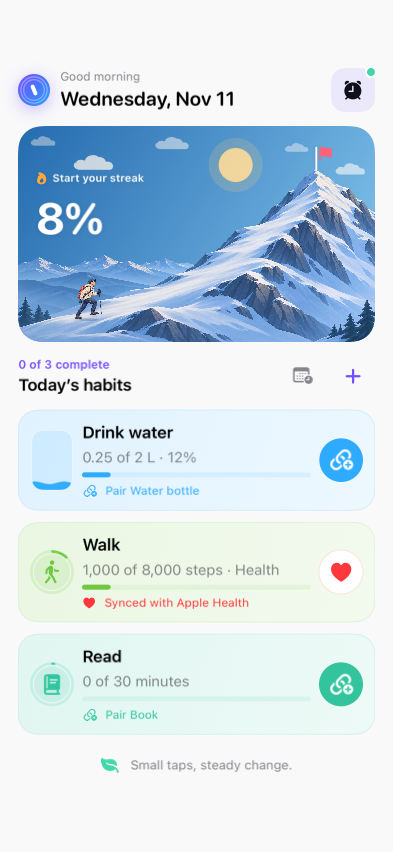
Your daySee your habits, log the small steps and watch your daily progress take shape. Choose a mountain climb, a victory lap or another view that feels like you.
Manual check-ins work too. NFC is optional for ordinary habits.
04 / YOUR ROUTINE IS YOUR BUSINESS
Your routines can say a lot about you. They don’t belong on a sticker for anyone to read.
Read our privacy policyYour NFC tag stores a random identifier. It doesn’t contain your habit names, progress, Health data or app selections.
Apple Health step access is read-only and optional. Screen Time authorization uses Apple’s own controls.
Optional Circles use iCloud. Apple handles payments, and RevenueCat helps manage purchases. The details are in our policy.
05 / ROOM TO START. ROOM TO GROW.
Get a feel for Anchor before deciding whether you need more.
Manual or NFC check-ins. Your pace, your routine.
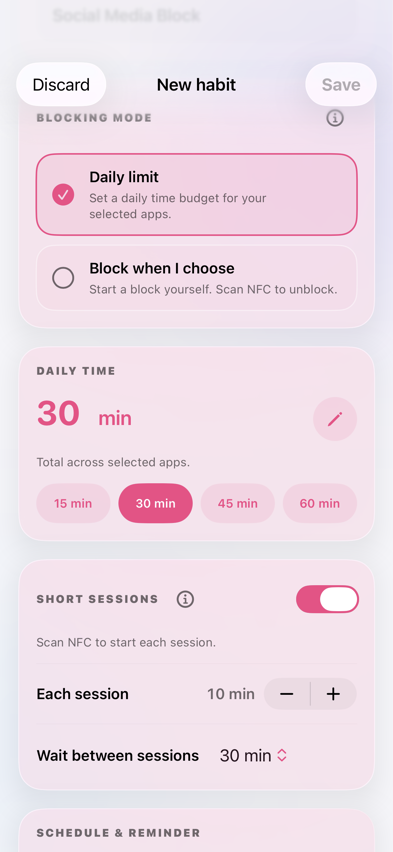
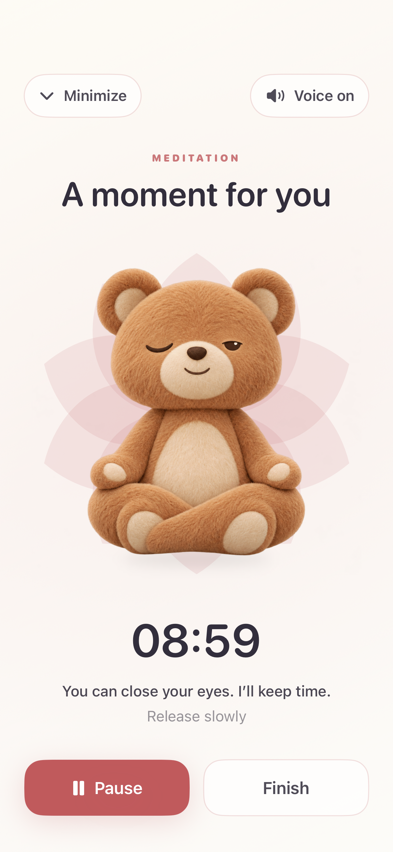
Daily limits, on-demand blocking and NFC breaks. Separate from your habit slots.
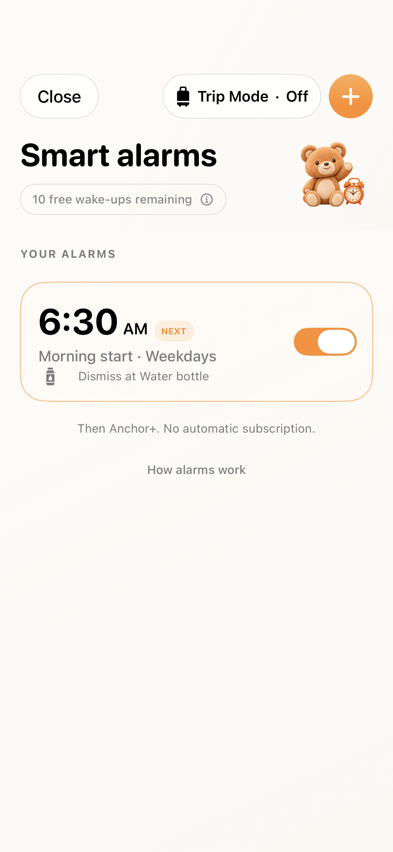
Using one NFC alarm. Setup tests don’t use the allowance.
No subscription starts automatically when the free wake-ups end.
ANCHOR+
Monthly, annual and lifetime offers may be available. Current prices and purchase terms are shown in the app and confirmed by Apple.
The full termsiPhone and iPad: iOS/iPadOS 18+. NFC needs compatible iPhone hardware. NFC smart alarms require iOS 26.1 or later and alarm permission.
No. Ordinary habits can be logged manually in Anchor. You can add a compatible NFC tag later. Dedicated alarm verification and NFC-controlled app breaks have their own requirements and recovery options.
Use blank, writable, unlocked NDEF tags such as suitable NTAG213, NTAG215 or NTAG216 stickers and key fobs. You can buy them from a seller you choose. Standard tags can struggle on bare metal; use an on-metal tag or choose a non-metal surface.
Start with three active ordinary habits and one complete Social Media Block routine. The blocking routine is separate from the three habit slots. You also get 10 successfully completed real wake-ups using one NFC alarm. Tests and failed verification do not use up wake-ups, and the allowance never starts a subscription automatically.
Apple’s Family Activity Picker provides opaque selection tokens. Anchor can apply the restrictions you choose without receiving ordinary human-readable app-selection names. Screen Time authorization is optional and controlled by Apple.
Apple provides native alarm controls that Anchor cannot remove. Anchor’s NFC scan or away-from-tag challenge completes its own wake-up verification. Test your setup before relying on it, and keep another alarm for important situations.
The app supports iPhone and iPad on iOS/iPadOS 18 or later. NFC scanning requires compatible iPhone hardware. NFC smart alarms require iOS 26.1 or later and alarm permission. Feature availability depends on hardware, permissions and Apple’s platform support.
ONE OBJECT. ONE TAP. YOUR NEXT SMALL WIN.
A small team, making an app for the small things that matter.
 SMALL TAPS.